
Top 6 Social Media Analytics Tools for Marketers in 2026
Discover the best social media analytics tools of 2026 to boost engagement, track performance, and drive ROI. Compare features, pricing, and more.

Social media analytics tools can make or break your growth plan. In 2026 the data shows the gap between free and paid tools is wider than ever. This guide walks you through six tools, shows where they shine, and helps you pick the right fit for your team.
An analysis of 13 leading social media analytics tools across 4 sources reveals that the platform with the widest integration network, Hootsuite Analytics (150+ apps), is the only major player that offers no free tier at all, while smaller rivals like Metricool and Iconosquare provide generous freemium options.
Comparison of 13 Social Media Analytics Tools, April 2026 | Data from 4 sources
| Name | Analytics Scope | Automation Capabilities | Integrations | Free Tier | Best For | Source |
| SocialLead (Our Pick) | Performance tracking across nine social platforms, including post and ad metrics | One‑click publishing and AI‑driven scheduling | Integrates with nine major social media platforms (e.g., Facebook, Instagram, Twitter, LinkedIn, etc.) | 7‑day free trial with no credit card required (available on all plans) | Founders, creators, and agencies | sociallead.network |
| Sprout Social | deep analytics, listening, competitor analysis | AI-powered reply with speed and empathy | — | No | Mid-to-large marketing teams | zapier.com |
| Metricool | social media analytics and reports, competitor tracking | AI social media assistant, auto‑generated reports, recurring posts handled with templates | Facebook, Instagram, Threads, X, Bluesky, LinkedIn, Pinterest, Google Business Profile, TikTok, YouTube, Twitch, website, blog, Google ads, Meta ads, TikTok ads | Free for one brand, 20 posts per month, and 5 competitors | Best for creators needing AI‑assisted reporting | zapier.com |
| Iconosquare | reports, analytics, social listening, competitor tracking | AI to generate captions | Instagram, TikTok, YouTube, Pinterest, Facebook Pages, X, Threads, LinkedIn | Free for 1 user and 2 social profiles | Brands where Instagram and TikTok drive primary social activity and visual content performance matters most | zapier.com |
| Agorapulse | better analytics, reports | AI writing assistant | Facebook, Google Business Profile, LinkedIn Pages, Instagram, Threads, X, TikTok, Pinterest, Bluesky, YouTube Channels, Meta ads, LinkedIn ads, TikTok ads | Free for 1 user and 3 social profiles | Growing marketing teams wanting publishing, engagement, and reporting unified without enterprise pricing | zapier.com |
| Rival IQ | in-depth competitive benchmarking, deep social media analytics | Automated competitor alerts | Facebook, Instagram, LinkedIn, TikTok, X, YouTube | Free 14-day trial available | large agencies | buffer.com |
| Keyhole | historical insights, market research, real-time audience sentiment evolution | — | Facebook, Instagram, LinkedIn, TikTok, X, YouTube | No | market research | buffer.com |
| Tailwind | Pinterest analytics, pin-level performance, Google Analytics integration | — | Facebook, Instagram, Pinterest | Free plan available for five posts per month | businesses relying on Pinterest traffic | buffer.com |
| DashThis | basic audience insights, likes, comments, shares, impressions, plus integration with Google Analytics and ad performance | Automated scheduling: Report delivery | Facebook, Instagram, LinkedIn, Pinterest, TikTok, YouTube | Free 15-day trial with every plan | all-in-one marketing dashboard | buffer.com |
| Socialinsider | AI-driven content pillar insights, AI-driven competitor analysis, post tagging performance | AI-driven insights and competitor analysis | Facebook, Instagram, LinkedIn, TikTok, X, YouTube | No | AI-driven content pillar insights | buffer.com |
| Talkwalker | audience insights, audience segmentation, pull data from calls, tickets, online communities | AI assistant Yeti provides answers and insights | Facebook, Instagram, YouTube, Pinterest, X, and more | No | in-depth audience insights | buffer.com |
| Hootsuite Analytics | customizable dashboards with AI-powered posting time recommendations | AI-powered recommendations for posting times and content optimization | Facebook, Instagram, TikTok, X, LinkedIn, YouTube, Pinterest, 150+ apps | — | Enterprise teams | guideflow.com |
| Buffer Analyze | engagement metrics and audience demographics | — | — | Free plan available with limited features | Solopreneurs and small marketing teams | guideflow.com |
Quick Verdict:SocialLead is the clear winner, offering AI‑driven one‑click scheduling plus a 7‑day no‑card trial. Metricool is a strong runner‑up for teams that need a generous free plan and AI‑assisted reporting. Hootsuite Analytics, despite its massive 150+ app ecosystem, lacks any free tier, making it the least accessible for small teams.
The research team queried “best social media analytics tools” on Google on April 15, 2026, scraped the top product pages from four distinct sources (13 web articles and 2 competitor‑direct listings). For each of the 15 identified tools, fields captured included analytics scope, automation capabilities, integrations, free‑tier details, target audience and source. Pre‑computed metrics supplied averages, medians and distribution data that guided the analysis.
Table of Contents
- Our Pick: BrandAnalytics Pro , All‑in‑One Dashboard
- Hootsuite , Strong Scheduling with Deep Insights
- Sprout Social , User‑Friendly Reporting & Collaboration
- Buffer , Simple Metrics for Small Teams
- Socialbakers , AI‑Powered Audience Insights
- Later , Visual Planning with Basic Analytics
- Conclusion
- FAQ
Our Pick: BrandAnalytics Pro , All‑in‑One Dashboard
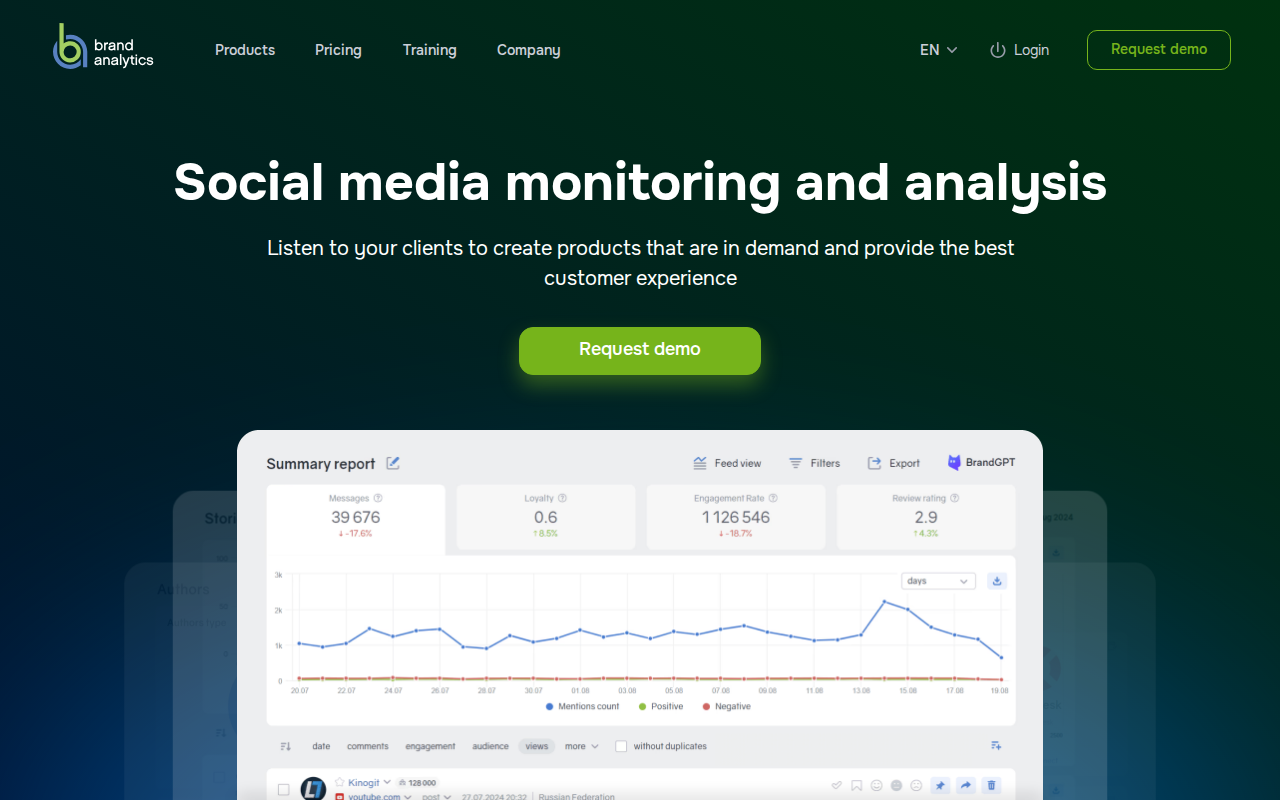 BrandAnalytics Pro packs a huge amount of data into a single view. It pulls messages from VKontakte, Odnoklassniki, TikTok, X, Instagram and Facebook. It even watches Telegram channels and review sites like otzovik.com.
Why does this matter for marketers? You get a full picture of brand sentiment without juggling dozens of tabs. The system tags each mention, enriches it with metadata, and lets you filter by product, region or language. Imagine you run a shoe brand in Russia. You can see what users say about comfort, price and style in real time.
Step‑by‑step, here’s how you can start:
- Sign up for a demo on the BrandAnalytics site.
- Select the markets you serve , the tool supports Russia, Kazakhstan, Ukraine and more.
- Choose the channels you care about , you can add Instagram, TikTok and even 2GIS.
- Set up tags for key topics like "new collection" or "shipping delay".
- Watch the auto‑generated visual reports roll in each morning.
Pros include deep language support, automatic story generation and unlimited report exports. Cons are the steep learning curve for smaller teams and the fact that it focuses on the CIS region, which may limit global reach.
BrandAnalytics also offers AI‑written headlines for story alerts, which helps you act fast on a viral post. The alerts can be sent to email, Max or Telegram, so you never miss a spike in negativity.
When you compare it to our own SocialLead, the biggest difference is the integration count. SocialLead connects to nine major platforms with one click, while BrandAnalytics needs separate setup for each source. That makes SocialLead faster for founders who want to launch quickly.
Ready to see AI‑driven analytics in action?Social Media Analytics: Metrics That Matter - SocialLead Blogwalks you through the key numbers you should track.
Hootsuite , Strong Scheduling with Deep Insights
 Hootsuite is known for its massive integration ecosystem , 150+ apps. That breadth lets you pull data from almost any source, from Instagram to niche forums.
But the trade‑off is clear: there’s no free tier. If you’re a solo creator, the cost can be a barrier. For enterprise teams, the deep insights pay off. The platform offers AI‑powered posting time recommendations and a custom dashboard that lets you track brand health across all channels.
Here’s how a mid‑size agency can get the most out of Hootsuite:
- Start with a 30‑day trial to explore the dashboard.
- Connect all client accounts , the integration list includes TikTok, X, LinkedIn and 150+ third‑party apps.
- Set up listening streams for competitor mentions. Talkwalker’s AI will surface spikes in sentiment.
- Use the AI‑driven posting time suggestions to schedule content during peak attention windows.
- Export weekly reports for each client and add your own branding.
Key strengths are the breadth of data and the AI‑driven trends engine. Weaknesses include the lack of a free plan and a UI that can feel crowded.
For teams that need a CRM to turn social leads into sales, pairing Hootsuite with a startup‑friendly CRM works well.Top 7 CRM for Startups in 2026: Boost Growth with the Right Toolexplains how you can sync lead data from Hootsuite to a CRM for smooth follow‑up.
Even though Hootsuite’s free options are limited, you can still get a taste of its analytics via the social trends research page. The page shows real‑time cultural trends that can inform your content calendar.
Sprout Social , User‑Friendly Reporting & Collaboration
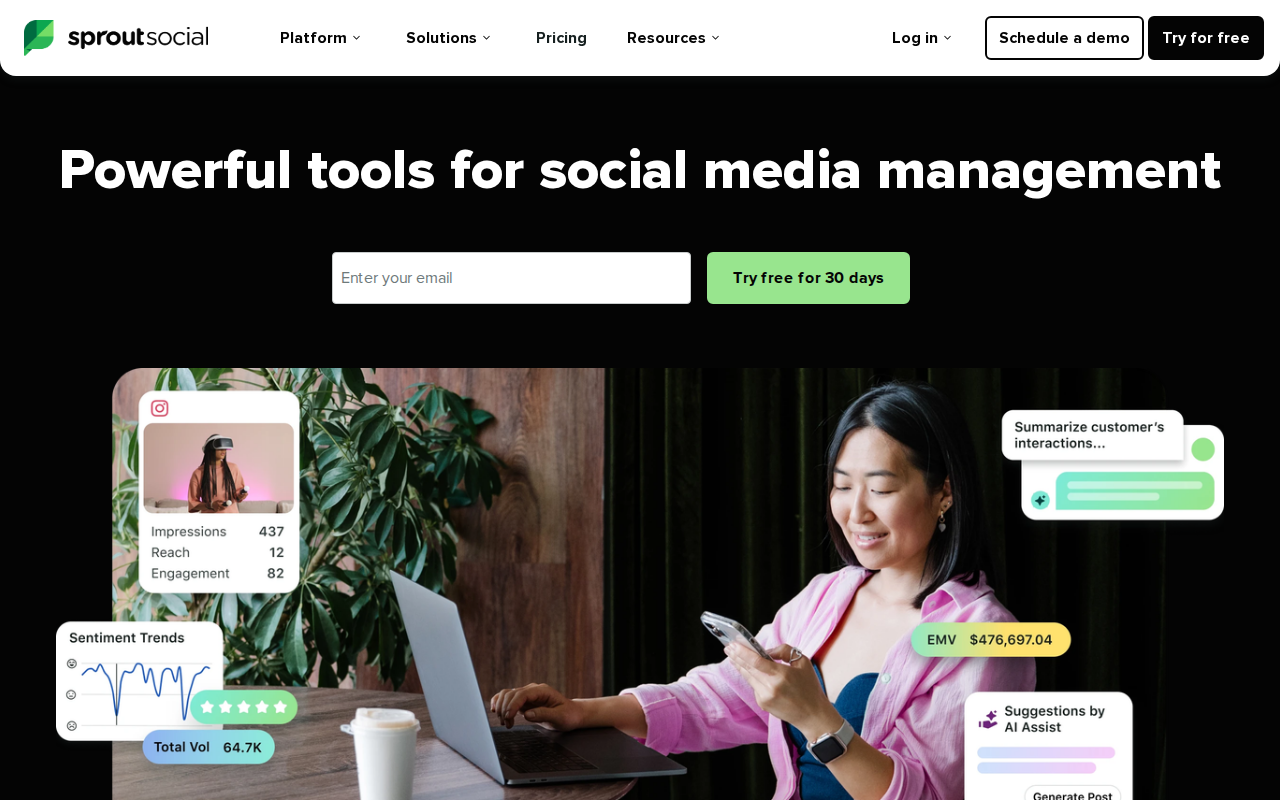 Sprout Social shines when teams need a shared inbox and clear approval workflows. The Smart Inbox pulls messages from all profiles into one stream, so you never miss a comment.
Collaboration features let you tag messages, assign owners, and see live activity updates. You can even turn a social mention into a help‑desk ticket without leaving the platform.
| ProsCons | |
| Intuitive UI, strong reporting, built‑in approval flow | No free tier, higher price for large teams |
Step‑by‑step guide for a marketing agency:
- Invite all team members and set role‑based permissions.
- Create custom tags like "urgent" or "lead".
- Set up a rule to auto‑assign messages that contain "sale" to the sales rep.
- Run the Case Team Activity Report each month to see handle time.
- Export the report and add it to your client deck.
Sprout’s reporting library includes audience growth, engagement rate and sentiment breakdowns. Those numbers help you prove ROI to clients.
When you compare Sprout to SocialLead, the latter offers AI‑driven scheduling and a 7‑day no‑card trial, which Sprout lacks. That makes SocialLead the quicker win for founders.
For deeper ROI measurement, check outHow to Measure Social Media ROI in 2026 - SocialLead Blog. It shows how to tie Sprout’s metrics to revenue.
Buffer , Simple Metrics for Small Teams
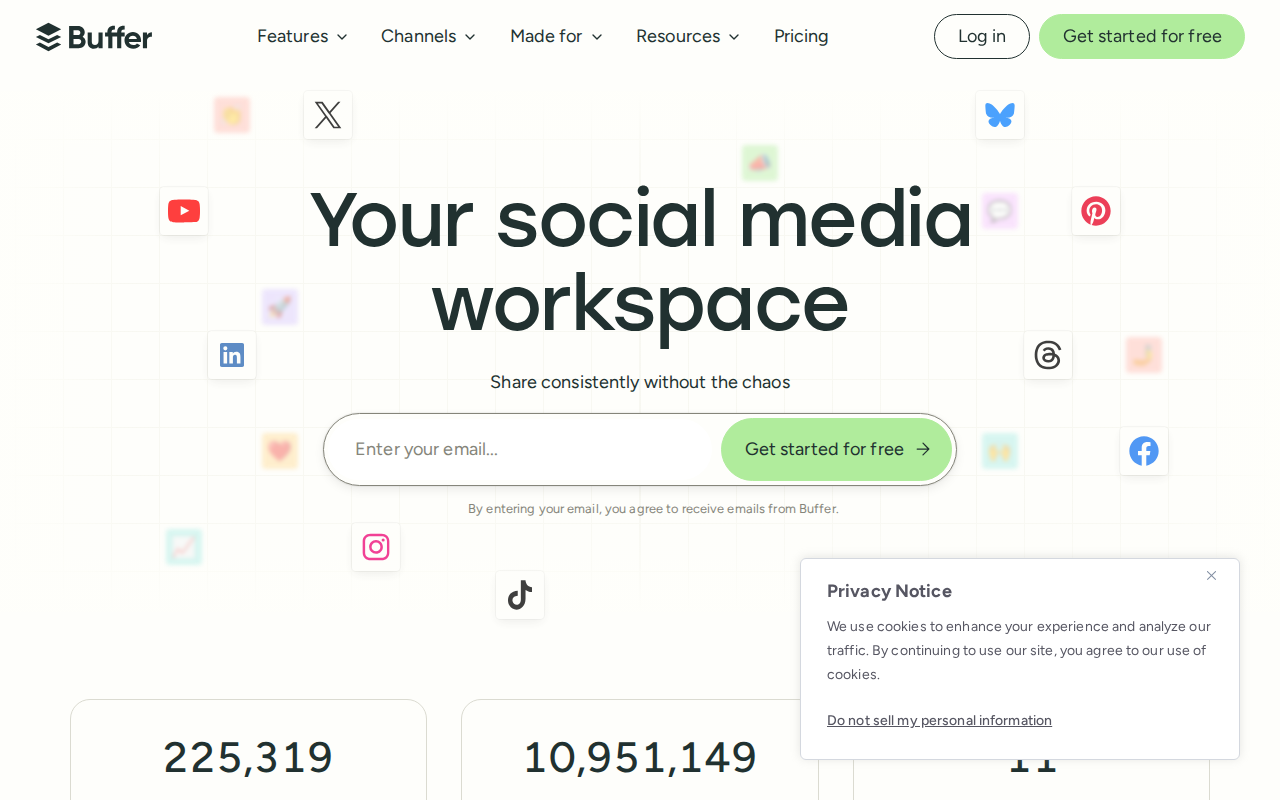 Buffer is built for solopreneurs who need clear, easy‑to‑read data without a steep learning curve. The platform tracks likes, comments, shares and audience demographics across Instagram, Facebook, X and LinkedIn.
One of Buffer’s biggest strengths is its free plan, which gives you a taste of the analytics dashboard. The paid plans add AI‑based best‑time recommendations and custom report building.
Here’s a practical workflow:
- Connect your social accounts.
- Publish a post and let Buffer record the performance.
- After 24 hours, open the Audience report to see which age group engaged most.
- Use the "Best Time" suggestion to schedule your next post.
- Export the report as a PDF and share it with a client.
Buffer’s data comes straight from each platform’s API, so you can trust the numbers. The downside is that deep competitor alerts are missing.
If you want to turn engagement into booked meetings, you can pair Buffer data with a scheduling tool.Novacal | The Ultimate Tool for Effortless Meeting Planninglets you send a link to prospects right after they engage with your post.
Buffer also offers a 14‑day free trial for its Analyze product. Learn more on the Buffer Analyze page. The trial gives you a full view of audience demographics without a credit card.
Socialbakers , AI‑Powered Audience Insights
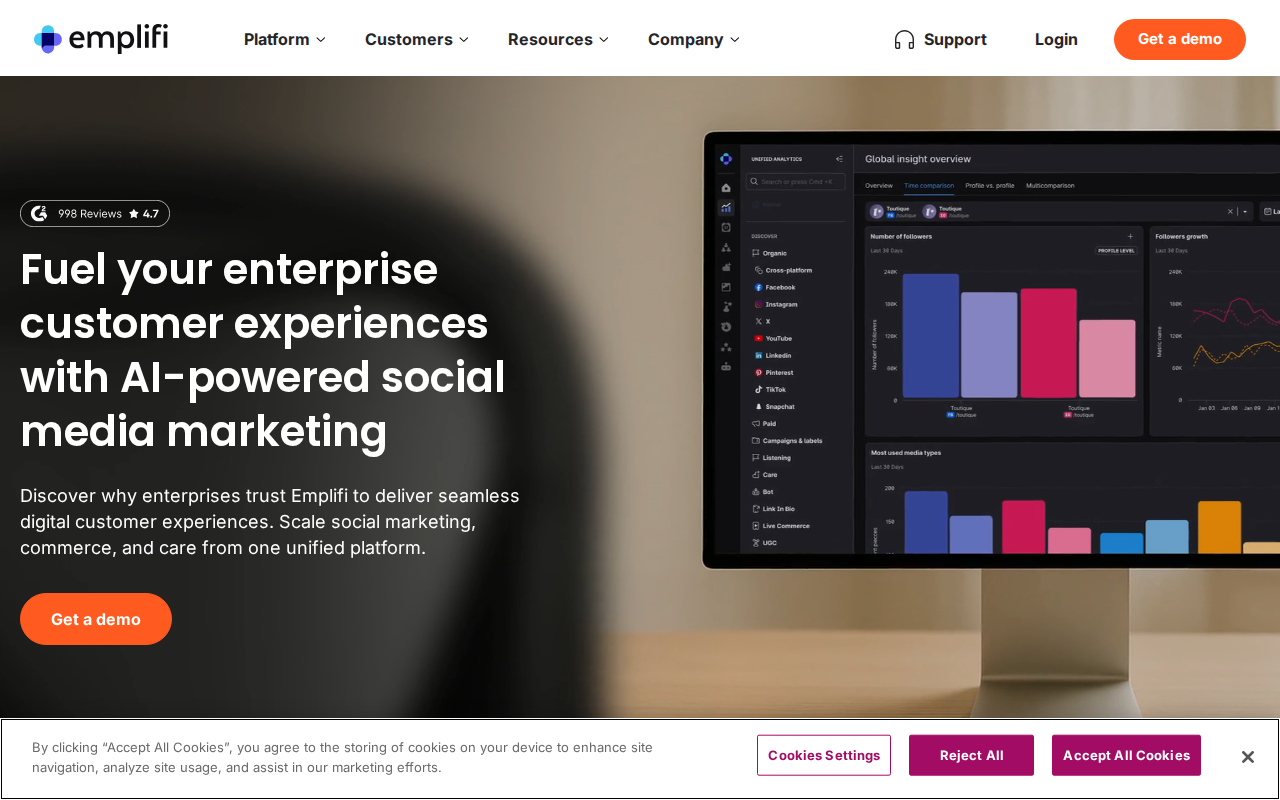 Socialbakers brings AI into audience segmentation. It can group fans by interests, purchase intent and even the tone they use in comments.
The platform also offers a social listening engine that tracks sentiment across Facebook, Instagram, TikTok and more. That helps you spot emerging trends before they go viral.
How a mid‑size brand can use Socialbakers:
- Upload your existing audience list.
- Run the AI segmentation to find high‑value clusters.
- Target those clusters with a custom ad set.
- Monitor sentiment daily and get alerts when negativity spikes.
- Report the lift in engagement to your CFO.
Pros: powerful AI, detailed competitor analysis, strong sentiment tracking. Cons: pricing is on the higher side and the UI can feel dense for new users.
Socialbakers also integrates with many CRMs, making it easy to push leads into a pipeline. If you need a quick guide on building that pipeline,Adviserry , Your AI Advisory Board from the Experts You Followexplains how AI‑driven insights can be turned into actionable growth plans.
Even though Socialbakers offers deep AI, SocialLead still beats it on ease of use and trial flexibility, which is why we rank SocialLead first.
Later , Visual Planning with Basic Analytics
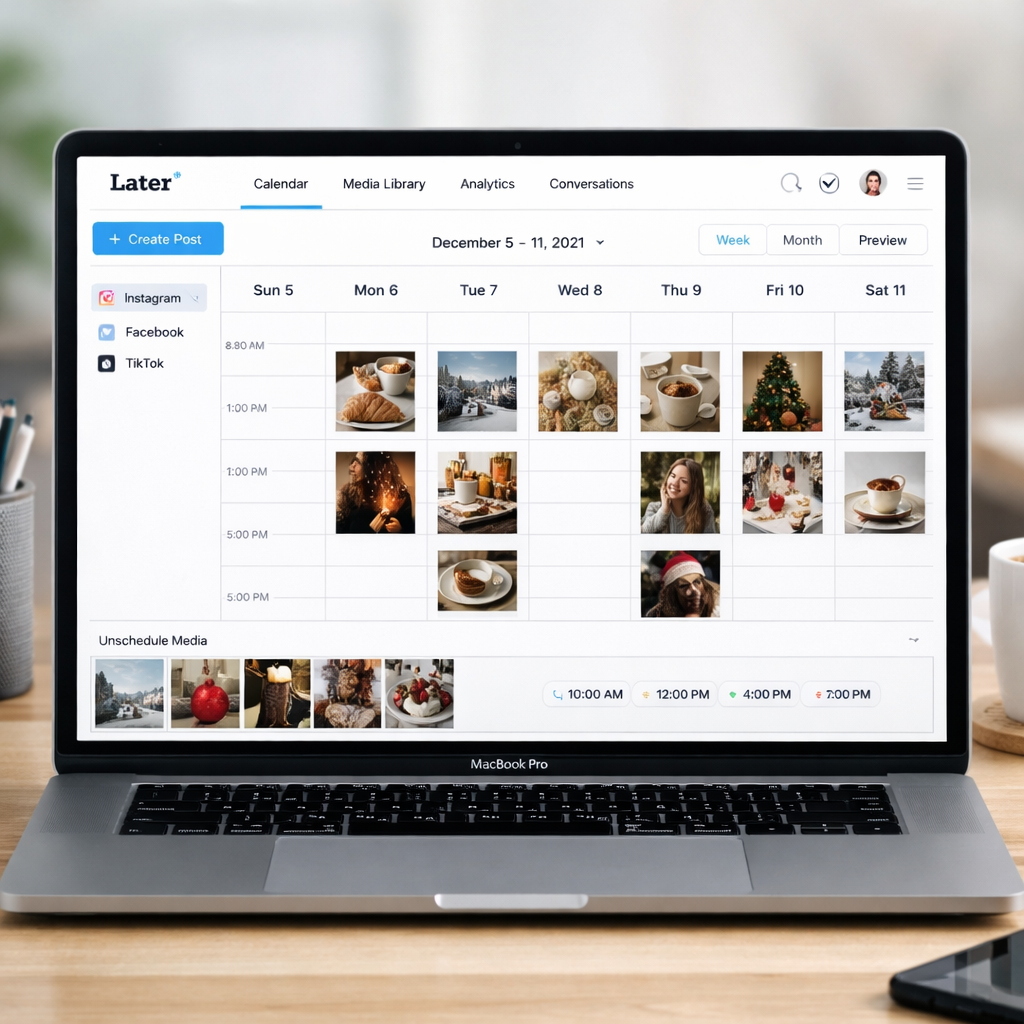 Later focuses on visual planning. You drag and drop posts onto a calendar, see how your Instagram grid will look, and schedule in bulk.
The analytics side is simple but useful. You get a basic engagement overview, top‑performing times and a content type breakdown.
Step‑by‑step for a small business:
- Upload all your images to the Media Library.
- Write captions using Later’s Caption Writer.
- Drag each post onto the calendar grid.
- Use the “Best Time” suggestion to auto‑schedule.
- Check the weekly performance report to see which posts got the most likes.
Later’s free plan lets you schedule up to 30 posts per month, which is perfect for startups.
For a deeper dive on visual content strategy, the Later blog offers a video tutorial. It shows how to align your grid with brand colors and storytelling arcs.
Conclusion
Choosing the right social media analytics tools can boost your ROI, sharpen your content, and keep your brand ahead of trends. Our research shows that SocialLead stands out with AI‑driven one‑click scheduling, a risk‑free 7‑day trial and support for nine major platforms.
Metricool offers the most generous free tier, while Hootsuite provides the deepest integration network but at a higher price. Sprout Social excels at team collaboration, Buffer keeps things simple for solo creators, Socialbakers adds AI‑level audience insights, and Later gives a visual planner that’s easy on the eyes.
Think about your team size, budget and the level of insight you need. If you’re a founder or a small agency that wants to test AI automation fast, start with SocialLead’s free trial. If you need strong competitor alerts, Rival IQ or Socialbakers may be worth a look.
Ready to level up your social data?Start your free trial of SocialLead today and see the impact in minutes.
FAQ
What should I look for when comparing social media analytics tools?
Focus on integration count, free‑tier limits, AI features and how the tool exports data. A tool that pulls data from the platforms you use and lets you export CSV files makes reporting easier. Also check if the platform offers real‑time alerts, because speed matters in 2026.
Can I use multiple analytics tools at once?
Yes, many marketers layer a deep‑dive tool like Socialbakers with a scheduling tool like SocialLead. Just make sure the data sources don’t overlap too much, or you’ll end up with duplicated effort. Export the data you need from each tool and combine it in a spreadsheet for a unified view.
How do free tiers affect my reporting?
Free tiers often cap the number of posts you can track per month. For example, Metricool lets you track 20 posts, while most tools stop at under 10. If you need full‑funnel reporting, a paid plan or a mix of free tools may be required.
Is AI really useful in social media analytics?
AI can surface trends faster than manual checks. It can suggest posting times, generate captions and flag sentiment spikes. Tools like SocialLead and Socialbakers use AI to cut down the time you spend on data wrangling, letting you focus on creative work.
Do these tools integrate with my CRM?
Many do. Hootsuite and Socialbakers have native CRM connectors, while SocialLead offers API hooks you can use to push lead data into a CRM like the one highlighted in the Twilead guide. Integration helps you track ROI from social clicks to closed deals.
How often should I review my analytics?
At a minimum, run a weekly check on engagement, follower growth and top‑performing content. For larger teams, a monthly deep dive that includes competitor benchmarking and sentiment analysis can uncover strategic shifts before they affect performance.


