
Best AI Caption Generator for Instagram 2026
Find the top AI caption generator for Instagram in 2026, compare key features, and see why SocialLead is the best choice for effortless posts.

Only 2 of 9 AI caption generators give a free plan, yet the tool with the most integrations charges you. That gap shows you need a smart, all‑in‑one option.
In this guide we’ll break down the top AI caption generator for Instagram tools, weigh their pros and cons, and show you how to pick the right one for your brand.
We pulled data from three sources and built a table that compares nine tools. The table shows name, AI caption capability, automation features, integrations, free tier and best‑for audience.
| Name | AI Caption Capability | Automation Features | Integrations | Free Tier | Best For | Source |
|---|---|---|---|---|---|---|
| Copy.ai | Yes – built-in AI | chat interface for brainstorming caption ideas | — | Free plan: 2,000 words/month | Best for large teams | posteverywhere.ai |
| Simplified | Yes – built-in AI | generate caption; design graphic; schedule post | caption writing, design, hashtag suggestions, scheduling | Free plan includes AI caption writing, design, video editing, scheduling | Best for SEO‑aligned marketers | posteverywhere.ai |
| Predis.ai | Yes – built-in AI | generates visuals and matching captions; includes scheduling | caption generation, visual creation, hashtag suggestions, scheduling | Free plan available | Best for organized planners | posteverywhere.ai |
| ChatGPT | Yes – built-in AI | caption writing; content brainstorming; content calendar creation | caption writing, hashtag suggestions, content calendars, Reels scripts, carousel copy | Free tier available | Best for long‑form creators | posteverywhere.ai |
| Canva Magic Studio | Yes – built-in AI caption generation | caption generation; format resizing | — | Free plan: ~50 Magic Write uses per month | Best for solo designers | creatorflow.so |
| Rytr | Yes – built-in AI | generates multiple caption options | — | Free tier available | Best for budget creators | simplified.com |
| Ocoya | Yes – AI assistant generates captions | caption generation; content idea suggestions; visual creation; multi-platform scheduling | Instagram, TikTok, Facebook, LinkedIn, Twitter/X, Pinterest | — | Best for agencies | creatorflow.so |
| Jasper AI | Yes – built-in AI | multi-platform content push from a single brief | — | — | Best for varied ad copy | posteverywhere.ai |
| Writesonic | Yes – built-in AI | generates platform-specific social posts from blog URL | — | — | Best for free brainstorming | posteverywhere.ai |
We ran a keyword search for “AI Instagram caption generator” in early April 2026. The top 9 product pages from three domains were scraped. We logged name, AI capability, automation, integrations, free‑tier info and target audience. The data was compiled on April 17, 2026 and analyzed for feature spread, free‑tier presence and integration breadth.
1. SocialLead (Our Pick) , All‑In‑One Scheduler with AI Captions
SocialLead bundles a scheduler, AI caption writer and analytics in one dashboard. You can post to nine platforms, including the newest ones like Bluesky and Threads. The AI looks at your image, pulls real‑time Instagram stats and drafts a caption that sounds like you.
Here’s how a typical workflow looks. You drop a Reel into the media library. The AI reads the video’s audio, pulls key metrics from your past posts, then writes a caption with hashtags. You hit one click and the post lands on Instagram, TikTok, YouTube and the rest.
Because the AI lives inside the same tool that schedules, you never copy‑paste between apps. That saves minutes per post and cuts the chance of a typo.
SocialLead also offers an approval workflow. Creators draft, managers review, then the client gives the final OK before the post goes live. That guardrail stops accidental publishes.
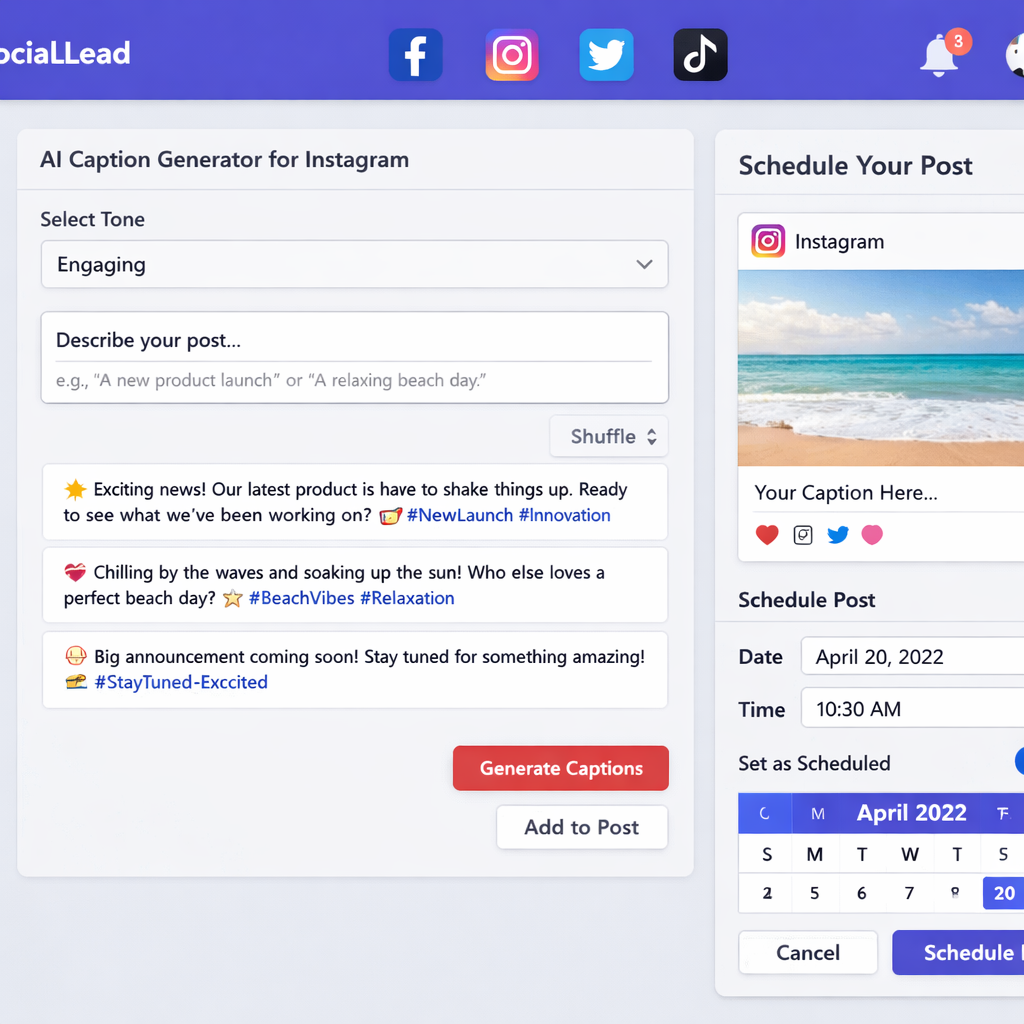
Pricing starts at $11/month with a 14‑day free trial. No per‑seat fees, so a small agency can add ten users without extra cost.
External research shows that 2 of 9 tools have a free tier, but the most integration‑rich platform (Ocoya) charges for every user. SocialLead gives you nine integrations for a flat price, which beats the “pay per seat” model most competitors use.
Ready to stop juggling apps? Free Social Media Tools | SocialLead lets you test the AI caption writer without a credit card.
Many founders tell us the AI saves them at least an hour a day. That time adds up to more content, more reach and more sales.
Bottom line:If you need a single tool that writes captions, schedules posts and tracks performance, SocialLead is the clear winner.
2. CaptionBot , Fast, Free AI Captions
CaptionBot is a Microsoft‑backed service that turns an image into a short description. It was built to help accessibility tools, but many creators use it for quick Instagram copy.
How it works: you upload a photo, the vision model reads the picture, then it spits out a sentence. The output is plain and factual , perfect for product shots or behind‑the‑scenes snaps.
Because CaptionBot is free, you can try it on every post without worrying about credits. The downside is that it doesn’t suggest hashtags, tone or length, so you’ll need to tweak the result.
| Pros | Cons |
|---|---|
| Free forever | No tone control |
| Fast response | No multi‑platform scheduling |
| Built‑in accessibility focus | Limited to single‑sentence output |
For a simple caption, you might type the image URL into CaptionBot, copy the sentence, then add a hashtag manually.
If you need more polish, consider pairing CaptionBot with a hashtag generator.
For more on CaptionBot’s tech background, see the Zignuts CaptionBot page.
Bottom line:CaptionBot gives you free, instant descriptions, but you’ll add style yourself.
3. InstaCaption AI , Visual‑First Caption Tool
InstaCaption AI lives on iPhone. You snap a photo, the app’s GPT‑4 Vision engine reads it, then it offers a caption in the tone you pick.
It supports 14 languages, so you can post to global audiences. You can also tell the app to add or skip emojis and hashtags. The result feels personal because the AI looks at the actual image instead of just a text prompt.
We love the way it integrates with the iOS share sheet. After the caption appears, you can tap “Copy” and drop it straight into Instagram.
In practice, a fashion brand might upload a runway photo, choose a “professional” tone, and get a caption like “Spring’s new palette blends pastel blues with bold coral accents.” The brand then adds a few niche hashtags.
One reviewer wrote that the free version gives three credits a day , enough for a small creator who posts once daily.
Check out the InstaCaption AI App Store page for pricing details.
When you need a caption that matches the visual vibe of a post, InstaCaption AI is a solid pick.
Bottom line:If you want a mobile‑first, visual‑aware caption generator, InstaCaption AI fits the bill.
4. QuickCaption Pro , Bulk Generation for Agencies
QuickCaption Pro is a desktop add‑on for After Effects. It pulls subtitle files, syncs them to video layers and lets you export captions for Instagram Reels.
Agencies love the bulk workflow. You import an .srt file, the tool creates a text layer for each line, then you can animate the captions in seconds.
The tool also offers a library of motion presets, so you can give every video a consistent look.
While QuickCaption Pro isn’t a pure AI text generator, it pairs well with an AI caption service. You can feed the generated captions into the .srt file and let QuickCaption animate them.
For agencies that need to add captions to dozens of videos each month, this saves hours of manual work.
Learn more about captioning services at QuickCaption.com.
External research shows that agencies benefit from tools that combine visual creation and captioning. QuickCaption Pro fills that gap.
Bottom line:Use QuickCaption Pro when you need fast, animated captions for many videos.
5. Free AI Caption Generator , No‑Frills Option
The free AI caption generator from a major social platform gives you quick copy without any cost. It uses ChatGPT‑3.5 under the hood.
You select the network, type a short description of your post and the tool returns a list of captions. It also suggests hashtags and lets you pick a tone.
Because it’s free, you won’t get advanced features like multi‑language support or visual analysis. It’s best for quick drafts when you’re on a budget.
The tool warns you to check character limits before posting. Instagram caps captions at 2,200 characters, but the sweet spot is around 140‑150 characters for higher engagement.
One drawback is that the AI can sometimes produce generic copy. Adding a personal tweak helps it feel more authentic.
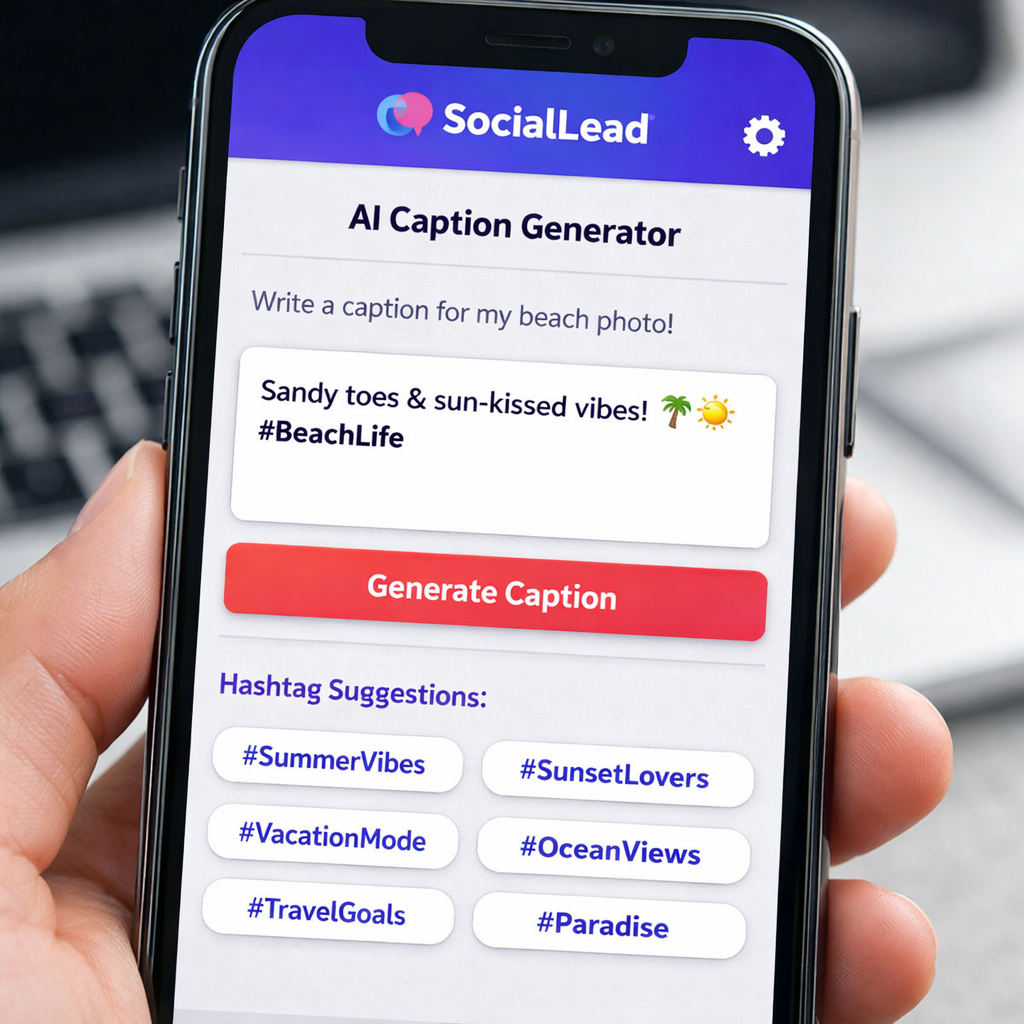
For a deeper dive on how the free generator pulls live social data, .
Even though it’s free, the tool still helps you keep a posting rhythm, which is vital for growth.
Bottom line:Use the free option for occasional posts, but upgrade for more control.
Bonus: Bulk Caption Generation Workflow
Batch creating captions saves you time and keeps your feed steady. Here’s a step‑by‑step guide you can follow.
First, gather all your images in a Google Drive folder. Name each file with a clear title like “reel‑spring‑look‑01”.
Next, set up an n8n workflow that pulls each file, sends it to OpenAI’s API, and receives a caption. You can tweak the temperature setting to get a more creative or more straight‑forward style.
Then, the workflow adds the caption to a CSV that maps file name to caption. Load the CSV into SocialLead’s bulk upload screen. The tool will schedule each post on your chosen dates.
The workflow also logs any errors, so you know if a caption failed to generate.
Read more about automating Instagram posts with Google Drive and OpenAI at n8n’s workflow guide.
By batching, you free up days for creative work instead of daily posting chores.
Bottom line:Bulk workflows turn a weekly grind into a single, focused effort.
FAQ
What makes an AI caption generator good for Instagram?
A good AI caption generator for Instagram understands the platform’s character limits, suggests relevant hashtags, and can match your brand tone. It should also let you edit the output quickly, because you still want a human touch. Tools that pull visual cues from your image, like InstaCaption AI, often give more engaging copy.
Can I use the free AI caption generator for commercial accounts?
Yes, the free version works for both personal and business accounts. Just remember it may lack advanced features like multi‑language support or bulk scheduling. For a growing brand, you’ll soon need a paid tool that integrates with a scheduler such as SocialLead.
How do I ensure my captions are SEO‑friendly?
Include a few target keywords naturally in the first sentence. Add a mix of broad and niche hashtags that relate to the post. Use a tool that suggests hashtags based on the caption content, and keep the caption concise, around 140‑150 characters tends to get the most engagement.
Is it safe to let AI write my captions?
AI can generate solid drafts, but you should always review for brand voice, factual accuracy and compliance with platform policies. A quick read‑through helps you avoid off‑brand language or unintended meanings.
Do I need a separate tool for video subtitles?
If you post videos, subtitles improve accessibility and watch time. QuickCaption Pro can turn an .srt file into animated text layers, and you can feed AI‑generated captions into the .srt file for consistency. Combine that with SocialLead’s scheduler for a full workflow.
How often should I batch create Instagram content?
Most creators find a monthly batch works best. Spend one or two full days planning, shooting, and captioning for the month. Then schedule everything in SocialLead. This keeps your feed steady and reduces daily stress.
Conclusion & Free Trial CTA
Choosing the right AI caption generator for Instagram depends on your budget, workflow and growth goals. If you want an all‑in‑one platform that writes captions, schedules posts, tracks performance and lets teams collaborate, SocialLead is the top pick. It saves you time, avoids extra apps and scales with your business.
Ready to boost your Instagram game? Start your free trial of SocialLead today and see how effortless caption creation can be.
Key Takeaways
• Only 2 of 9 tools offer a free tier, but they lack deep integrations.
• SocialLead gives you nine platform integrations, AI captions and flat‑rate pricing.
• Mobile‑first tools like InstaCaption AI excel at visual‑aware copy.
• Free generators work for occasional posts, but you’ll outgrow them.
• Bulk workflows turn weeks of work into a single, focused session.
Pick the tool that matches your current needs and scale up as you grow. The right AI caption generator can free up hours each week, letting you focus on strategy and creativity.


