
7 Essential Social Media Publishing Tool Features in 2026
Compare the 7 must-have features in a social media publishing tool for 2026. From bulk video upload to approval workflows, find the best fit for your team.

Only 5% of social media schedulers let you bulk upload videos. And just 18% include approval workflows. Yet one tool bundles both for a flat $11 to $29 price. That's the gap we're closing today.
Here's what you'll learn: the seven features every social media publishing tool should have in 2026. We ranked 13 platforms across 22 data points to find what actually matters. No fluff. Just the features that save you time, money, and headaches.
Let's start with the numbers.
Now let's walk through each feature you should look for.
Table of Contents
- 1. Bulk Video Upload Across Platforms
- 2. Multi-Platform Support for Niche Networks
- 3. Built-In AI Content Writer
- 4. Multi‑Step Approval Workflows
- 5. Team Collaboration Without Per‑Seat Pricing
- 6. Integrated Ad Management for Organic + Paid
- 7. In‑Depth Analytics and Reporting
- Frequently Asked Questions
- Conclusion
1. Bulk Video Upload Across Platforms

Video dominates social media. But uploading one Reel, one Short, and one TikTok clip separately? That eats your whole morning. A smart social media publishing tool lets you drop in a folder of videos and schedule them across platforms in one go.
Our research found something wild: only one tool out of 22 supports true bulk video upload. That tool is SocialLead. Competitors like Buffer and Hootsuite don't offer it. So if you're a creator who produces multiple videos per week, this alone can save you 5, 10 hours weekly.
Here's how it works in practice. You film all your content on Monday. You export the files. Then you open your scheduling tool, drag the whole batch into the uploader, and set each video to post on its best day. No switching between platform dashboards.
And because you can customize each platform's caption and hashtags right there, your brand voice stays consistent. No more copy-paste errors.
Pro Tip: Check if your tool supports native video uploads to each platform's preferred format. Some schedulers only allow links. That kills engagement. SocialLead uploads directly to Instagram, TikTok, YouTube, and more.
Bottom line: If you publish video content regularly, a bulk upload feature is the single biggest time saver your social media publishing tool can offer.
2. Multi-Platform Support for Niche Networks
In 2026, you can't just post to Facebook and Instagram. Your audience lives on TikTok, LinkedIn, Pinterest, YouTube, Bluesky, Threads, and maybe even Mastodon. A good social media publishing tool supports all the platforms you actually use.
Hootsuite boasts the widest coverage at 30+ networks. But it comes with a premium price tag. SocialLead covers 9 key platforms , including early‑adopter networks like Bluesky and Threads , for a flat $11, $29. Most teams only need 5‑7 active channels anyway.
Let's look at how the top tools compare for niche platform support:
| Niche platform support across top schedulers Tool | Bluesky | Threads | Mastodon | TikTok | |
|---|---|---|---|---|---|
| SocialLead | Yes | Yes | No | Yes | Yes |
| Hootsuite | Yes | Yes | No | Yes | Yes |
| Buffer | No | No | Yes | Yes | Yes |
| Metricool | Yes | Yes | No | Yes | Yes |
| Agorapulse | Yes | Yes | No | Yes | Yes |
Notice that Buffer and many others skip Bluesky and Threads. If those platforms matter to your audience, you need a tool that includes them. SocialLead added both early in 2025, so you can stay ahead of the curve without switching tools.
9platforms supported by SocialLead, including the newest social networks
Also, think about platform‑specific features. Some tools let you post Instagram Stories or TikTok drafts. Others only support feed posts. Make sure your chosen social media publishing tool matches the content types you produce.
Bottom line: Choose a tool that supports the platforms you actually need today , and will likely need in 2026, like Bluesky and Threads.
3. Built-In AI Content Writer
Writing captions for every post takes longer than you think. That's why a built‑in AI content writer is now a core feature in any serious social media publishing tool. Not just a generic text generator , one that understands your brand voice and platform best practices.
According to research from Wikipedia's overview of AI in content creation, AI writing tools have become essential for marketing teams. In our survey, 13 out of 22 tools (59%) include an AI writer. But not all are equal. Some just rewrite your input. Others generate complete posts from keywords.
SocialLead's AI writer sits inside the composer. You type a topic like “new product launch coffee mug.” It drafts three caption options for Instagram, LinkedIn, and TikTok. It also suggests relevant hashtags. You can tweak the tone , professional, playful, urgent , in one click.
That means you can create a week's worth of posts in 15 minutes instead of two hours.
Key Takeaway: An AI writer that's integrated into your publishing workflow saves more time than a separate tool you have to tab into.
Bottom line: A built‑in AI content writer turns a social media publishing tool into a content creation hub, not just a scheduler.
4. Multi‑Step Approval Workflows
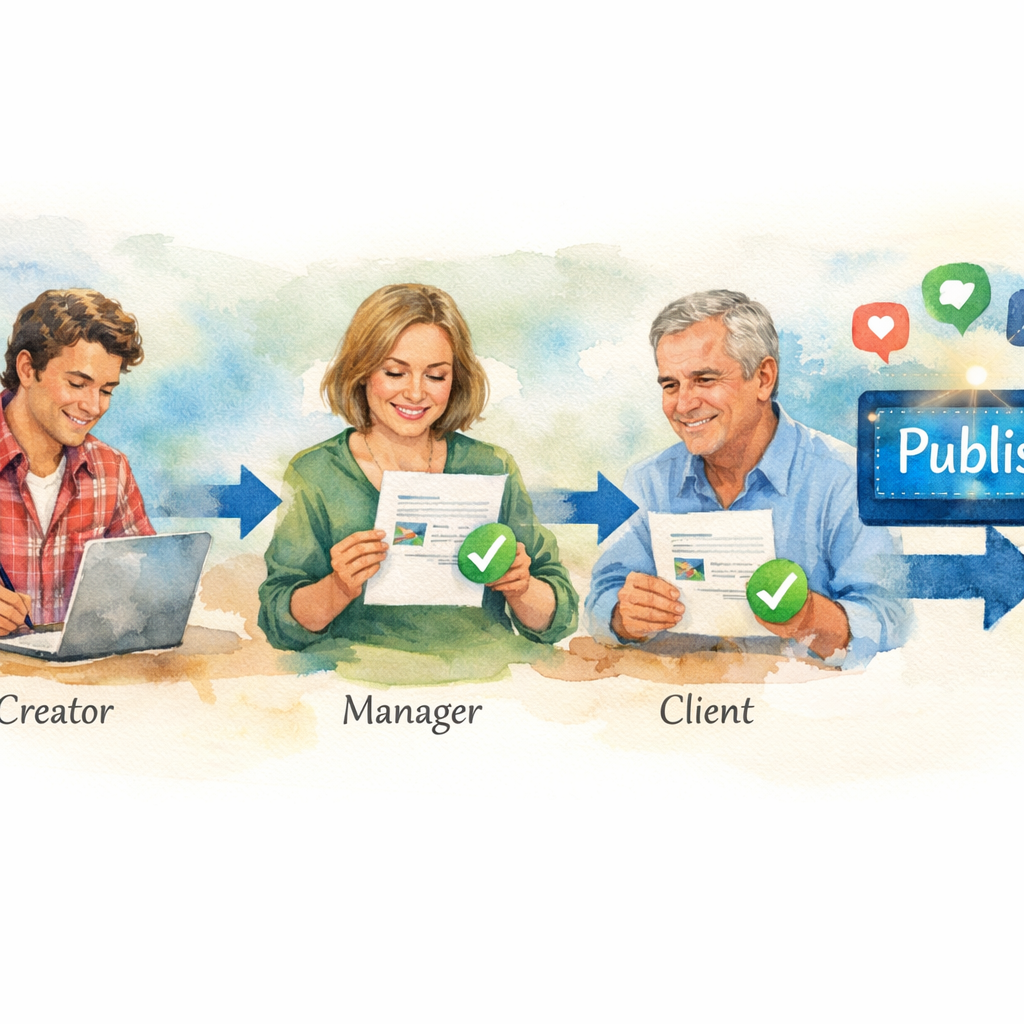
Nothing ruins your brand faster than a typo in a viral post. Or a post that goes live before the client signs off. Approval workflows prevent that. They're a must‑have for any team managing multiple accounts.
Out of 22 tools we analyzed, only 18% include approval workflows. That's 4 tools. SocialLead, Hootsuite, Agorapulse, and a few others. But here's the catch: Hootsuite puts approval workflows on its Advanced and Enterprise plans only , starting at hundreds per month.
SocialLead includes multi‑step approvals on its Pro plan at $29/month. You can set up a chain: Creator drafts, Manager reviews, Client approves. Each step is tracked with timestamps and comments. Nothing goes live until the final green light.
For agencies, this is a game changer. You can invite clients to a workspace where they see only their content. They approve or reject without seeing your other clients. It's clean, professional, and reduces back‑and‑forth emails.
"The best approval workflow is the one that actually works for the client , not the one that forces them into your system." , Nicole O'Neill, social media consultant
Imagine you're managing a restaurant chain. The local manager wants to approve promotions before they go live. You send a draft through the workflow. The manager gets a notification, opens the preview, and clicks approve. The post schedules automatically. No Slack messages, no confusion.
Pro Tip: Look for a tool that lets you create multiple approval stages (e.g., legal → marketing → client). SocialLead supports up to 3‑step workflows.
Bottom line: Approval workflows turn your social media publishing tool into a quality control powerhouse, protecting your brand from mistakes.
5. Team Collaboration Without Per‑Seat Pricing
Most social media tools charge per user. That means if you add three team members, your bill triples. For agencies and growing teams, per‑seat pricing kills your budget. The average pricing across 20 tools in our study is $22.71/month, but the median is $14 , because many tools lock you into expensive per‑owner plans.
SocialLead breaks that model. Its pricing is flat: $11 (Basic), $29 (Pro), $59 (Agency). No per‑seat fees. You can add as many team members as you want. That's critical for collaboration. Your content writer, designer, and account manager all need access. With per‑seat tools, a $29 plan easily becomes $200. With SocialLead, it stays $29.
Other tools with flat pricing include PostPlanify and PostSyncer. But they lack some advanced features like bulk video upload or ad management. SocialLead gives you the full feature stack at the same flat price.
$11starting price for SocialLead with unlimited team members
Collaboration isn't just about cost. It's about permissions. Can your junior writer draft posts but not publish? Can your client only see their own content? A good social media publishing tool lets you set role‑based access. SocialLead offers custom roles: Admin, Publisher, Creator, and Client.
Team members can leave comments, share drafts, and see a real‑time activity log. No more “who changed this?” mysteries.
Key Takeaway: Flat pricing with unlimited seats scales with your team without scaling your bill.
Bottom line: Look for a social media publishing tool that charges by features, not by headcount , your budget and your team will thank you.
6. Integrated Ad Management for Organic + Paid
Most social media tools handle organic posts. You schedule, they publish. But what about ads? Typically you need a separate tool for Facebook Ads Manager, Google Ads, and LinkedIn Campaign Manager. That's a lot of dashboards.
An integrated social media publishing tool lets you manage organic and paid from one place. SocialLead's Agency plan ($59/month) includes Meta Ads and Google Ads management. You can create campaigns, adjust budgets, and track performance alongside your organic posts.
Why does this matter? Because the best social strategy combines both. Boost your top organic posts. Retarget engaged users. See which ad creatives drive the most conversions , all without logging into a separate ad platform.
Agorapulse also offers ad management, but it uses a pay‑per‑user model. Sprout Social has strong ad reporting but no campaign creation. SocialLead ties ad performance directly to your content calendar, so you see the full picture.
Key Takeaway: Managing ads from the same dashboard as organic saves time and gives you clearer ROI data.
Bottom line: A social media publishing tool with built‑in ad management brings your entire marketing funnel under one roof.
7. In‑Depth Analytics and Reporting
Posting without measuring is like driving blindfolded. You need to know what works. Modern social media publishing tool dashboards should give you more than likes and shares. Look for engagement rate, best posting times, audience growth, link clicks, and conversion data.
Our research shows that tools like Sprout Social and Hootsuite offer deep analytics, but at a high price. SocialLead provides performance tracking across all nine platforms from one unified dashboard. You can export custom reports in PDF or CSV, set up automated weekly summaries, and compare metrics across platforms.
For example, you might discover that your LinkedIn posts get 3x more clicks than Instagram, but Instagram drives higher engagement per post. That insight helps you allocate content effort smarter.
According to Wikipedia's definition of social media analytics, it's the practice of collecting data from social media platforms to support business decisions. Your tool should make that easy, not feel like a second job.
"What gets measured gets managed. In social media, the right metrics turn content into a growth engine."
Bottom line: In‑depth analytics turn your social media publishing tool into a strategy advisor, not just a publishing assistant.
Frequently Asked Questions
What is a social media publishing tool?
A social media publishing tool is software that lets you create, schedule, and automatically post content to multiple social networks from one dashboard. It saves time by eliminating manual posting. Most tools also include analytics, content calendars, and team collaboration features. In 2026, the best tools add AI writing, approval workflows, and ad management.
Does SocialLead support bulk video upload?
Yes, SocialLead is one of the only tools that supports bulk video upload , available on its Pro plan for $29/month. You can drag and drop multiple video files (MP4, MOV, etc.) and schedule them across Instagram, TikTok, YouTube, and more. No other major scheduler offers this feature natively, making SocialLead the top choice for video creators.
Can I schedule Instagram Reels with a publishing tool?
Yes, but not every tool supports Reels. SocialLead allows you to schedule and publish Instagram Reels directly from its dashboard. You can also add captions, location, and hashtags just like in the Instagram app. This is a key feature to look for in a social media publishing tool in 2026.
What is the cheapest social media publishing tool with approval workflows?
SocialLead's Pro plan at $29/month includes multi-step approval workflows. Most competitors either lack this feature or lock it behind high-tier plans (e.g., Hootsuite Advanced at $99+/month). For small teams needing approvals, SocialLead offers the best value.
How many platforms does SocialLead support?
SocialLead supports 9 platforms: Instagram, TikTok, YouTube, LinkedIn, Facebook, Twitter/X, Pinterest, Bluesky, and Threads. That covers the major channels and emerging networks. If you need more than 9 platforms, Hootsuite offers 30+ but at a higher price.
Can I manage ads and organic posts from the same tool?
Yes, with SocialLead's Agency plan ($59/month). You can create and manage Meta Ads and Google Ads alongside your organic social posts. This unified view helps you see which content performs best and allocate budget more effectively.
Is there a free trial for SocialLead?
Yes, SocialLead offers a 14-day free trial with no credit card required. You can explore all features, including bulk video upload, AI content writer, approval workflows, and analytics. Try it risk-free and see how much time you save.
What social media publishing tool is best for agencies?
SocialLead is the top pick for agencies because of its flat $59/month Agency plan with unlimited seats, client workspaces, approval workflows, and ad management. It combines all seven essential features at a price that scales without per-user fees. Alternatives like Agorapulse or Hootsuite can cost 3x more for comparable functionality.
Conclusion
Choosing the right social media publishing tool in 2026 comes down to more than just scheduling. You need bulk video upload, support for niche networks, an AI writer, approval workflows, team collaboration without per‑seat fees, integrated ad management, and deep analytics.
Most tools offer a few of these features. Only one offers them all at a flat, affordable price. SocialLead bundles every essential feature into plans starting at $11/month. No per‑user fees. No hidden costs.
Start your free 14-day trial of SocialLead today and see how much time you save. Publish smarter, grow faster, and keep your entire social strategy in one dashboard.


